Translating Option Value and Groups
As you create new Pricesets or any Option Values you will need to translate these
also in a multilingual system.
Translating Option Value(s)
Note: This process assumes you have already setup a multilingual system
- Go to Administrator > Customize Data and Screens > Dropdown Options
- Find the specific Option group you want to modify and click
Edit Options - Click on the
Editlink for each option, and within the Label click on the translation button
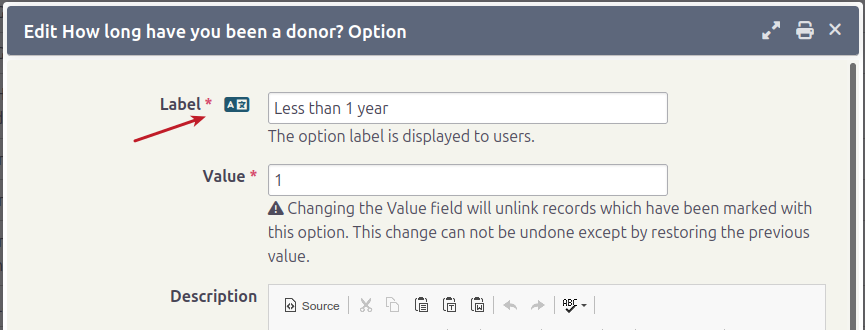
- A a popup will appear allowing you to translate the label
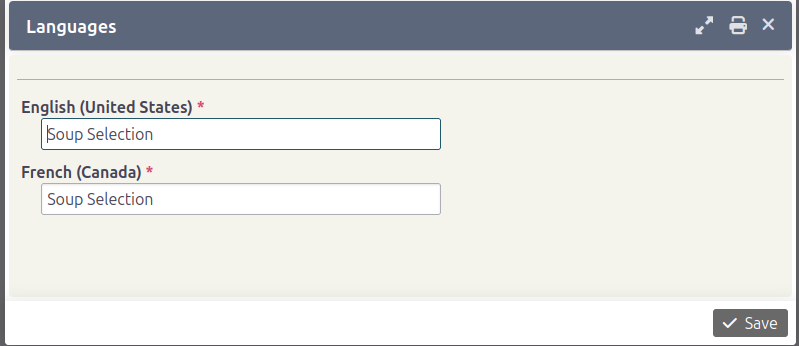
- Click Save after translating
- Repeat the process for the other options
- Now you can view the group in another language and see the fields with your proper translations
Translating Option Group
This process is similar to that of translating the Option value. The difference
being that you click on the Settings link to modify the corresponding
Group Title and Description.