Translating Custom Fields and Groups
It is possible to translate existing custom fields and also groups that are created. The interface provides a means for adding the various translations after a field has been added. Normally, by default, it copies the original label/values from the default language to the corresponding additional languages.
Translating a Custom Field
Note: This process assumes you have already setup a multilingual system
- Go to Administrator > Customize Data and Screens > Custom Fields
- Edit the specific
Custom Groupyou wish to translate - For each custom field click on the
Edit Fieldlink - Click on the corresponding translate button
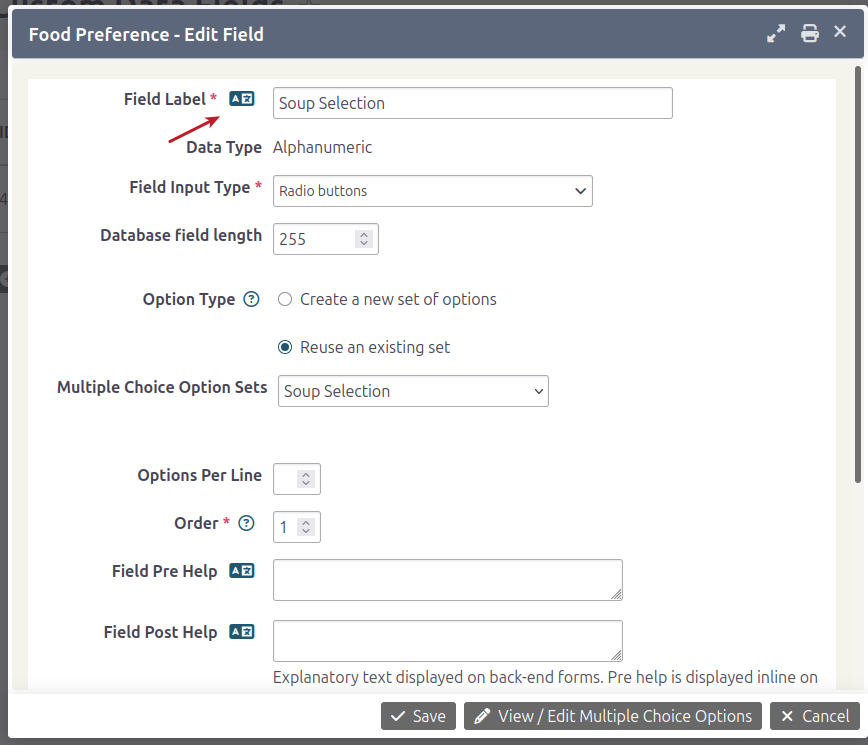
- A a popup will appear allowing you to translate the label or value
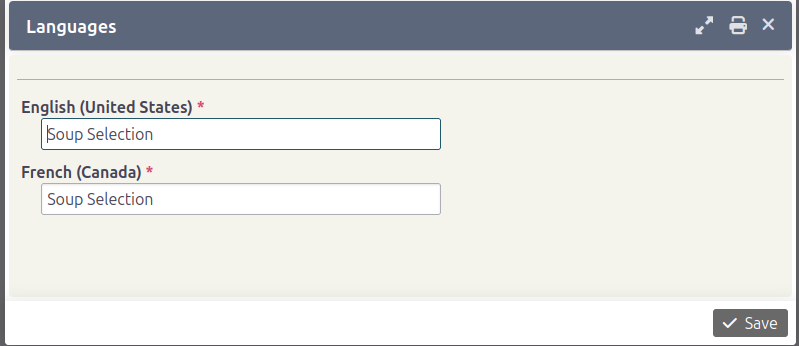
- Click Save after translating
- Repeat the process for the other translation options, and also the additional fields
- Now you can view the group in another language and see the fields with your proper translations
Translating a Custom Group
Essentially, we repeat the same process as we do for Custom fields but
you click on the Settings link for the actual Custom Group. Any fields with
the same language button can be translated.
Translating Profiles
Profiles function very similarly to Custom Fields with one caveat. In the case,
that you decide not to change the default Label, Description, Pre/Post help text then
it will simply use the translation that is already available either in core or in the
previously translated Custom field
Translating labels
The process is exactly the same, in the case that you change the labels for
specific fields that are adding to a Profile
- Go to Administrator > Customize Data and Screens > Profiles
- Click on the
Fieldslink of the specific Profile you wish to translate - Click on the
Editlink for a specific Field to translate it. In our example we assume that you have changedFirst NametoYour Name - Click on the corresponding translate button and a popup will appear allowing you to translate the label or value
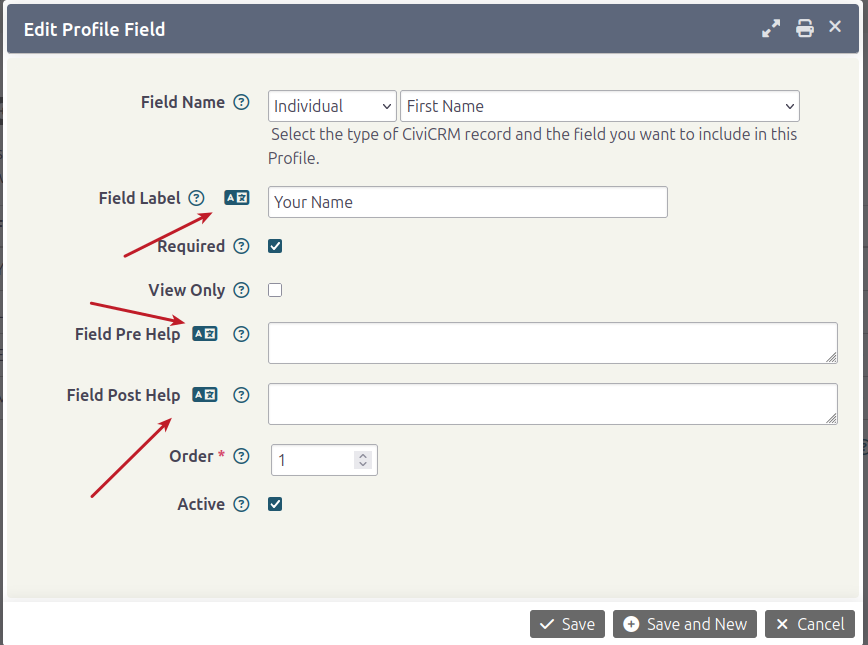
- Click Save
- Repeat the process for the other fields that you have modified the default labels
- Now you can view the profile in another language and see the fields with your proper translation