Extensions
CiviCRM is designed to be highly customisable so it can be tailored to different organizations' needs.
One of the key ways this customisation is achieved is using Extensions, which provide a package of features or functionality for a particular use case.
Using different sets of Extensions allows two different CiviCRMs to look and feel quite different.
Some core functionality in CiviCRM - such as taking donations, or managing memberships - is provided by Core Extensions. These are bundled with the CiviCRM core code, but can be enabled or disabled as needed.
Many more extensions are available for download from the Extensions Directory. These are typically written and maintained by members of the CiviCRM community to provide additional more specific functionality that multiple organizations may find useful, such as an integration with a particular payment processor; or an alternative to the core email template editor.
It is also possible to write extensions for a tailored individual organization or site. Some people will write a custom extension for their own CiviCRM; or an agency might write a custom extension for an individual client, in order to package very specific modifications or tweaks.
Core Extensions
The principle user-facing core extensions are:
-
CiviContribute - online fundraising and donor management
-
CiviMail - send bulk emails to your contacts
-
CiviMember - manage memberships for your contacts
-
CiviEvent - set up an event calendar and manage registrations
-
CiviCampaign - set up Campaigns to track events, mailings, activities, and contributions against particular projects or goals; organise Surveys and Petitions.
-
CiviCase - manage structured sequences of activities for contacts
-
CiviGrant - take and process grant applications
These extensions are documented in later chapters of this guide.
The extensions directory
The extensions directory is available at https://civicrm.org/extensions. It lists extensions that have been written by members of the CiviCRM community and made freely available for download by other organizations. Extensions are by default listed in order of popularity (which is calculated by the number of sites that report using the module).
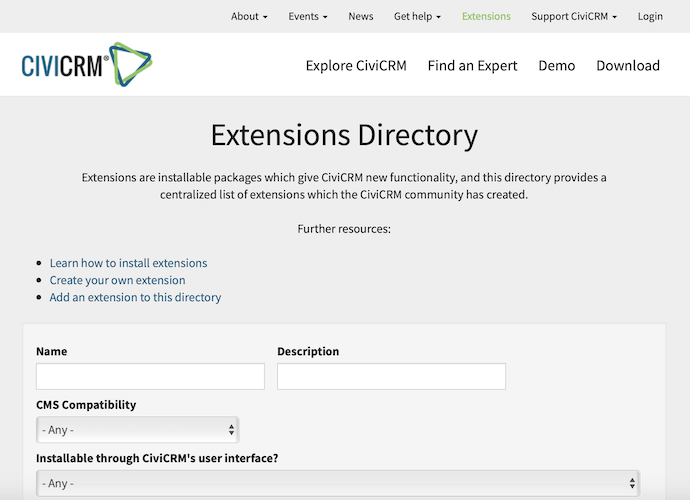
Extensions are organized into two broad categories: 'native' extensions which work with any CMS, and CMS specific extensions that add integration between CiviCRM and the CMS and hence are CMS specific. If you are familiar with your CMS, you may know CMS specific extensions by another name, for example Drupal specific extensions are typically called Drupal Modules and WordPress specific extensions are called WordPress Plugins.
Extensions that have been approved for automated distribution can be easily installed directly from your CiviCRM installation.
Installing extensions
When configured correctly, extensions can be installed directly into CiviCRM via the user interface. Go to Administer > System Settings > Extensions. You should see a list of extensions that are compatible with your version of CiviCRM. Note that you may not see all the extensions that were listed in the extensions directory as they may not be compatible.
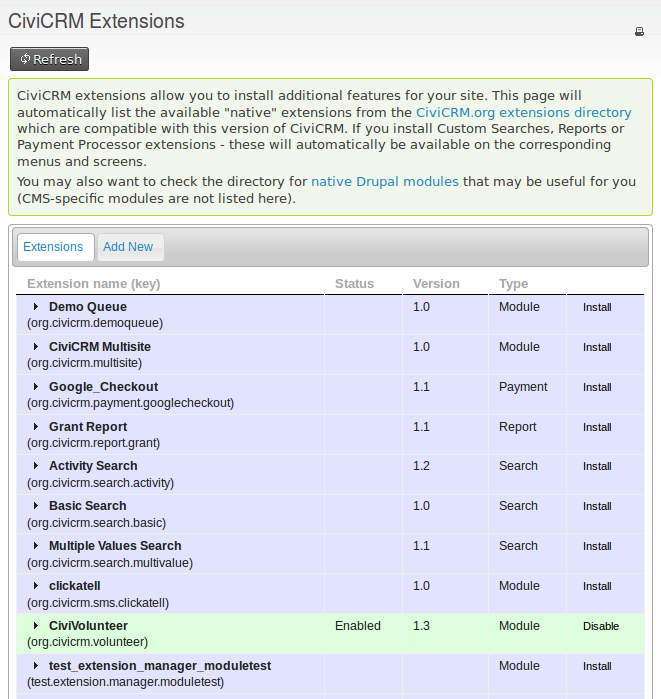
If you do not see a list of extensions here, it may be that your system is not properly configured to manage extensions. You should consult your system administrator if this is the case.
Enabling, disabling and uninstalling extensions
When you first install an extension, it will be Enabled.
If you later decide you don't need the extension, you may Disable it. Disabling an extension should de-activate any functionality or options associated with the extension.
Once you have Disabled an extension, you may further choose to Uninstall it. Uninstalling should remove data associated with the extension.
A Disabled extension can be Enabled again to restore functionality and data.
An Uninstalled extension will need to be re-installed. No data will be restored - it will be as if you freshly installed the extension for the first time.
Writing extensions
Anyone is free to write an extension to enhance their CiviCRM installation (or commission someone to do so). Writing an extension is a task for a developer so a detailed discussion of how to write one is outside the scope of this book. If you do write an extension to cater for your particular use case, you may wish to consider if other organizations would also be able to benefit from your work and hence whether you should publish your extension and make it more generic. Publishing your extension and attracting users brings many benefits in the shape of feedback on how it can be improved, bug reports, and code contributions that may enhance your extension.
What about Components?
At time of writing, the major core extensions are technically also "Components". The distinction between Components and Extensions is part technical/part historical - but generally unimportant. Going forward, "Extension" is generally the preferred term.